Developer Documentation
This document provides information for developers who want to contribute to the development of ucc, as well as for maintainers.
Creating a release
Important
This section is intended for maintainers of the ucc repository.
To release a new version of ucc on GitHub, follow the steps below.
- Bump the Version:
Increment the version in
pyproject.tomlaccording to semantic versioning.
- Draft a New Release on GitHub:
You can generate an initial set of release notes using GitHub’s draft a release. Update them as desired.
In the Choose a Tag dropdown, manually type the new version in the box, which will create the new tag upon publishing.
Do NOT publish the release yet! Wait until step 4 below.
- Update the CHANGELOG.md:
Copy your draft release notes to the CHANGELOG.md file.
- Commit and Merge in Changes:
Make sure you’ve committed the version bump to pyproject.toml and updates to CHANGELOG.md
Open a PR to get the changes reviewed.
Merge the PR after approval.
- Publish the New Release on GitHub:
Navigate back to your Release draft from step 1.
Scroll down and check the box labeled “Create a discussion for this release”.
Click the Publish the Release.
Tip
Ensure that all changes pass the tests, and the documentation builds correctly before creating a release.
Publishing a new version of UCC to PyPI (maintainers only)
Follow the steps above for creating a new release.
The deployment to TestPyPI should trigger automatically (only maintainers will have access).
- Run a test of the TestPyPI deployment on your local machine:
Create a new Python environment ≥ our latest required version, e.g.
python3.13 -m venv ~/.venvs/test_uccActivate the new environment with
source ~/.venvs/test_ucc/bin/activate.Run
pip install -i https://test.pypi.org/simple/ --extra-index-url https://pypi.org/simple/ uccto install from the TestPyPI deploymentRun
python -c "import ucc; print(ucc.__version__)". This should run successfully and show the latest version of UCC.
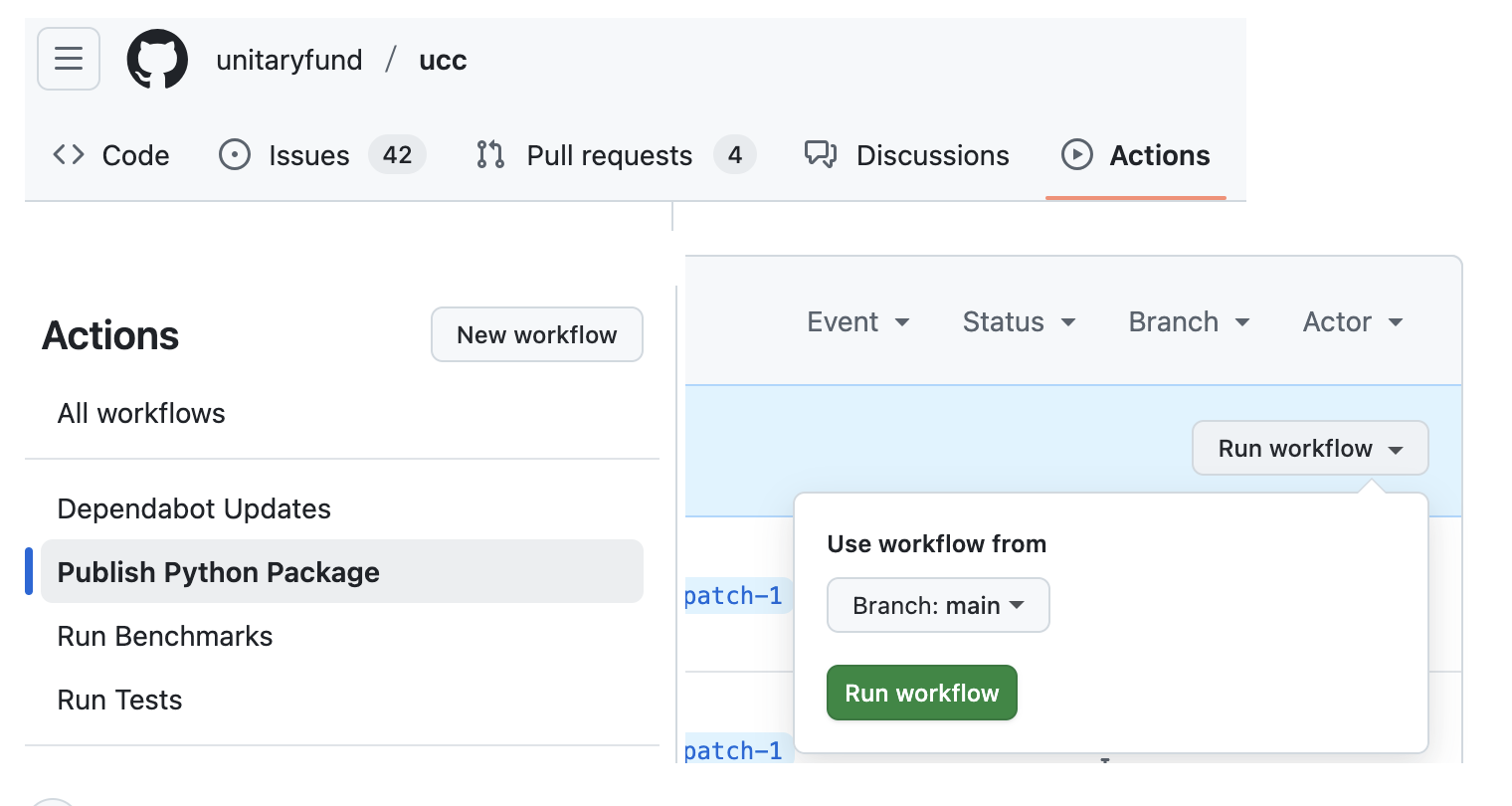
If all went well in the TestPyPI step, you (as a maintainer) can go to the GH Actions and approve the deployment to real PyPI. If for some reason this does not work, or fails to trigger on a release, you can also manually trigger the workflow in the Github Actions tab: